
Social media management tools are software platforms that let a business plan, schedule, publish, and analyze content across multiple social networks from one dashboard, rather than logging into each platform separately. Pricing models vary significantly — some charge per social channel, others per team seat — and the right tool depends more on team structure and workflow than on which platform tops any given best-of list.
Why Every “Best Tools” List Says Something Different
Search this topic and the top results all rank the same handful of names — Buffer, Hootsuite, Sprout Social, SocialPilot, Zoho Social — in a different order depending on which site is publishing the list, often with an affiliate relationship to the tools ranked highest. None of this makes the individual reviews dishonest, but it does mean the actual decision — which tool fits a specific team’s actual workflow — gets buried under generic feature comparisons that read the same regardless of team size or structure.
The Real Question: Per-Channel or Per-Seat Pricing
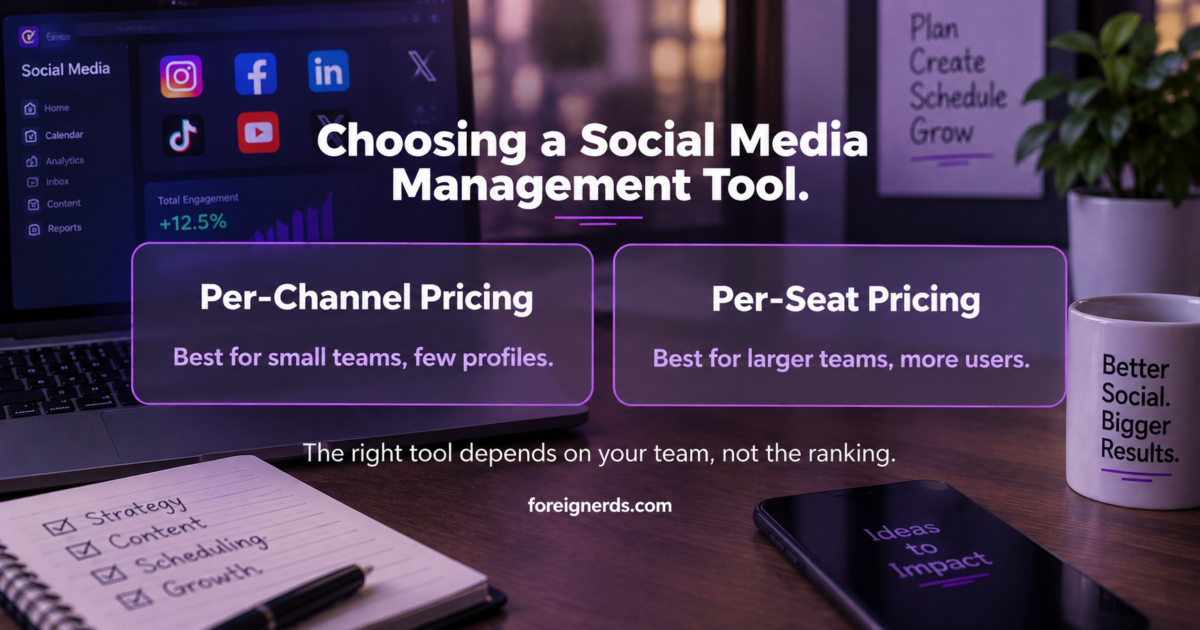
This is the single most consequential and least-discussed decision in choosing a social media management tool, because it determines how cost scales as the business grows. Tools priced per social channel (Buffer’s model, starting around $6/month per channel) become expensive as a business adds more platforms and profiles, but stay cheap with a small team managing few channels. Tools priced per team seat (Hootsuite and Sprout Social both use this model, often $99-$199/month per user) scale the opposite way — cheap with few users regardless of channel count, expensive as more people need access. A five-person team managing three social profiles should be evaluating completely different tools than a solo marketer managing fifteen client accounts, and most comparison articles present both categories side by side as if the pricing model doesn’t matter.
Matching the Tool to the Actual Team Structure
| Your situation | What actually fits |
|---|---|
| Solo marketer or very small team, few channels | Per-channel pricing (Buffer-style) — cost stays low, feature depth beyond scheduling matters less |
| Agency managing many client accounts | Tools with client approval workflows and white-label reporting (SocialPilot-style) — the agency-specific features matter more than raw scheduling capability |
| Larger internal team, several people posting | Per-seat pricing with a unified inbox (Hootsuite/Sprout-style) — worth the higher cost once coordination between people becomes the actual bottleneck |
| Business already inside another platform’s ecosystem (e.g., Zoho CRM) | The ecosystem-native tool (Zoho Social) — the CRM integration often outweighs marginal feature differences elsewhere |
What “AI-Assisted” Actually Means Across These Tools
Most current social media management platforms now market some AI capability, and the term covers a wide range of actual functionality worth distinguishing. At the simpler end, AI handles caption suggestions and basic hashtag recommendations — genuinely useful but a modest time-saver, not a strategic capability. Further along, some platforms use AI for posting-time optimization, analyzing when a specific account’s audience is actually most active rather than relying on generic best-practice timing. The most substantial current AI capability sits in automated first-pass comment and direct-message triage — flagging which incoming messages need a human response versus which are routine enough for an automated reply. None of these capabilities replace a genuine content strategy, and a tool’s AI features are worth evaluating as a modest efficiency layer, not a reason to select one platform over another on their own.
The Unified Inbox: More Important Than It Sounds
Scheduling posts is the visible, marketed feature, but for any team beyond a solo operator, the unified inbox — one feed showing all comments and direct messages across every connected platform — is usually the feature that determines whether the tool actually gets used daily or gets abandoned after the first month. Teams that skip evaluating this feature carefully, focusing instead on scheduling capability and pricing alone, often discover months in that they’re still checking each platform’s native inbox separately because the tool’s unified inbox was clunky or incomplete. This is worth testing directly during any trial period, with real accounts, rather than taking a features list at face value.
Free vs. Paid: When the Free Tier Is Actually Enough
Nearly every major social media management platform offers some free tier, typically capped at a small number of connected channels and a basic scheduling calendar with no unified inbox or advanced analytics. For a genuinely small operation — one or two people, three or fewer channels, no client-facing reporting requirement — the free tier of a tool like Buffer or Zoho Social is often genuinely sufficient, and upgrading before that need actually exists is a common and avoidable expense. The signal to actually upgrade is specific and checkable: channels exceed the free limit, more than one person needs to post or approve content, or someone needs to produce a real performance report for a boss or client. Upgrading in anticipation of future growth that hasn’t materialized yet is a subtler version of the same tool-sprawl problem that shows up elsewhere in AI-adjacent software adoption — paying for capacity a team isn’t yet using.
Common Mistakes in Choosing a Tool
Optimizing for the longest feature list
The tool with the most listed features is not automatically the right fit — many of those features go unused by any given team, while the pricing tier required to access them scales with the full feature set regardless of actual usage. Matching the tool to the specific workflow bottleneck, per the table above, produces a better outcome than comparing raw feature counts.
Ignoring the migration cost of switching later
Switching social media management tools means rebuilding saved content calendars, reconnecting every social profile, and retraining the team on a new interface. This makes the upfront decision more consequential than the monthly price difference alone suggests — a tool that’s 20% more expensive but genuinely fits the team’s actual workflow is usually the better long-term choice over a cheaper tool likely to be replaced within a year.
Underestimating analytics needs until reporting time
Scheduling and publishing get most of the attention during evaluation, but the analytics and reporting capability — especially for agencies needing to show clients real results — often matters more in practice. This is worth testing with a real reporting cycle during any trial, not assumed from a features page.
Where an Agency Relationship Changes the Calculation
Everything above assumes a business managing its own social accounts directly. When social media management is handled by an outside agency instead, the tool decision often isn’t the business’s to make at all — the agency’s existing stack, reporting format, and client workflow usually determine which platform gets used, and that’s a reasonable division of responsibility. What’s worth asking in that relationship isn’t which specific tool the agency uses, but whether their reporting genuinely reflects real account performance rather than vanity metrics, and whether the business retains actual ownership and access to its own social accounts and historical content independent of the agency relationship — a detail worth confirming explicitly before any tool or workflow decision, since losing access to your own account history when an agency relationship ends is a real and avoidable risk.
How This Fits a Broader Social Media Strategy
A management tool is the mechanism, not the strategy. Choosing the right tool solves a real operational problem — coordination, scheduling consistency, unified reporting — but doesn’t substitute for a genuine content strategy, which is where actual audience growth and engagement outcomes come from. Businesses that invest heavily in tool selection while treating content strategy as an afterthought typically see the operational efficiency gains they expected without the audience growth they actually wanted. The tool decision and the strategy decision are separate, and both matter, but they’re solving different problems.
A Short Evaluation Checklist
- Count your actual channels and team members — this determines whether per-channel or per-seat pricing favors you, before looking at any specific tool.
- Test the unified inbox with real accounts during a trial — this feature’s quality varies more between tools than the marketing copy suggests.
- Run one real reporting cycle before committing — especially if client-facing reporting is a genuine requirement, not a nice-to-have.
- Treat AI features as a minor efficiency layer, not a deciding factor — the underlying scheduling, inbox, and reporting capability matters more than which platform has the flashiest AI marketing.
None of this requires picking whichever tool tops this month’s ranking article. It requires matching a specific tool’s actual pricing model and feature depth to your team’s specific structure — a decision no generic listicle can make for you, because it depends entirely on facts about your own team the article’s author never had.
What to Actually Check During a Trial, Step by Step
Most trials get used to click through a features tour rather than genuinely stress-test the tool against real work, which is why so many businesses discover gaps only after committing to a paid plan. A more useful approach during any trial period: connect every social account you’d actually use in production, not a test account, since some platform integrations behave differently with accounts that have real history and follower counts. Schedule a genuine week of planned content rather than a handful of test posts, to see how the calendar view actually holds up under real volume. Have every team member who would use the tool daily log in and attempt their actual role — the person approving content, the person responding to comments, the person pulling reports — rather than one person evaluating the entire tool alone. And specifically try to break the unified inbox: reply to a comment, then check whether that reply actually appears correctly on the native platform, since sync issues between a management tool and the underlying social network are a common, hard-to-spot problem that only shows up under real use.
This is a meaningfully more thorough evaluation than most businesses run before committing to an annual plan, and it takes a few extra days relative to a rushed decision based on a features comparison page — a small cost against the real expense of migrating to a different tool six months later because the trial evaluation missed something a real workflow test would have caught immediately.
How This Relates to Broader AI Marketing Tool Choices
A social media management platform is really a specialized category within the broader world of AI marketing tools, and the same evaluation discipline applies: match the tool to a specific, named bottleneck rather than the longest feature list, confirm real integrations rather than claimed ones, and give someone specific ownership once it’s live. If social media management is being handled by an outside partner rather than in-house, the same due diligence that applies to choosing any AI-driven marketing agency applies here too — ask what’s actually automated versus manually managed, and get specific about reporting before signing anything. And if the actual need is connecting several of these tools into one coordinated system rather than picking a single platform, that’s the specific problem a genuine marketing automation engagement is built to solve.
Where AI Visibility Fits Into Social Strategy Now
One newer wrinkle worth naming directly: a growing share of research and discovery now happens inside AI chat assistants rather than traditional search or social feeds, which means brand visibility inside those AI responses is becoming a genuine, separate metric from social engagement numbers. This connects to the broader discipline covered in generative engine optimization — a business investing heavily in social scheduling tools while ignoring how it shows up in AI-generated answers is optimizing for only half of where its actual audience is now looking for it. The two are related but genuinely distinct workstreams, and treating them as the same thing is an increasingly common and avoidable gap.
A Final Word on Team Buy-In
The best-fitting tool on paper still fails if the team using it daily resents the workflow it imposes. Before finalizing any decision from the framework above, it’s worth a short, honest check with whoever will actually log in every day: does the interface feel like it fits how they already think about content, or does it feel like fighting the tool to do something it should make easy? A slightly less feature-rich tool that the team genuinely likes using consistently will outperform a more powerful one that gets opened reluctantly once a week. This is a soft factor that rarely shows up in a spec comparison, and it’s worth weighting more heavily than most evaluation frameworks, including the checklist above, would suggest on their own.
Key Takeaways
- The most consequential, least-discussed decision is pricing model: per-channel pricing (like Buffer, from ~$6/month/channel) scales differently than per-seat pricing (like Hootsuite or Sprout, often $99–$199/month/user) — the right fit depends on team size and channel count, not which tool ranks highest on a listicle.
- The unified inbox — not the scheduling calendar — is usually what determines whether a tool actually gets used daily.
- AI features across these tools (caption suggestions, posting-time optimization, message triage) are a modest efficiency layer, not a reason to choose one platform over another.
- The free tier is often genuinely sufficient for one or two people managing three or fewer channels — upgrade only when channels exceed the limit, more than one person needs access, or real client reporting is required.
Frequently Asked Questions
What are social media management tools?
Software platforms that let a business plan, schedule, publish, and analyze content across multiple social networks from one dashboard, rather than managing each platform separately.
What is the best social media management tool?
There is no single best tool — the right choice depends on team size, number of channels, and whether pricing is charged per channel or per team seat. A tool matched to your actual structure will outperform whatever tops a generic ranking list.
Should I choose a tool priced per channel or per seat?
Per-channel pricing favors small teams managing few social profiles. Per-seat pricing favors larger teams where multiple people need access regardless of how many channels are connected.
Are free social media management tools good enough?
Often yes, for a small operation with one or two people, three or fewer channels, and no client-facing reporting need. Upgrade only once a specific, checkable need — more channels, more users, real reporting — actually appears.
What does AI-assisted mean in a social media management tool?
It typically covers caption suggestions, posting-time optimization based on audience activity, and automated triage of comments and messages. These are efficiency layers, not a substitute for genuine content strategy.
How important is the unified inbox feature?
Very, for any team beyond a solo operator. It is often the feature that determines whether a tool gets used daily or is abandoned within a month, and is worth testing directly with real accounts before committing.
What is the biggest mistake businesses make choosing a social media tool?
Optimizing for the longest feature list rather than matching the tool to actual team structure and workflow, which leads to paying for capacity and features that go unused.
Does a social media management tool improve social media growth on its own?
No. The tool solves operational problems like scheduling and coordination. Audience growth and engagement come from genuine content strategy, which is a separate decision from tool selection.
Who chooses the social media management tool when an agency handles social media?
Usually the agency, based on their existing stack and reporting format. The business should still confirm it retains ownership and access to its own account history independent of the agency relationship.
How should I test a social media management tool before committing?
Run a real trial with actual accounts: test the unified inbox with genuine messages, complete one full reporting cycle, and confirm any claimed integrations actually work rather than relying on the features page.
How does social media tool selection relate to AI marketing tools generally?
A social media management platform is a specialized category of AI marketing tool, and the same evaluation principles apply: match the tool to a specific bottleneck, confirm real integrations, and assign clear ownership once it is live.
Should I worry about AI visibility separately from social media engagement?
Yes. A growing share of research now happens inside AI chat assistants rather than traditional social feeds, making AI visibility a distinct metric from social engagement that is worth tracking separately.
How much should team preference influence the tool decision?
More than most evaluation frameworks account for. A less feature-rich tool the team actually enjoys using daily will consistently outperform a more powerful one that gets opened reluctantly, since consistent use matters more than raw capability.

Related Reading



Recent Posts
 Google Adds a Fake-Author Warning to Its People-First Content Guidance. Here Is What to Check on Your Own Bylines.
 Google’s Gemini Agent Gets Its Own Identity, an Audit Trail and Spend Caps. Is Your Agent Governance Ready?
 Anthropic’s New Usage Policy Bars Using Claude to Plant Fake Sources for AI Answers. What It Means for Brand Mentions.