
This article is part of our complete guide: AI in Cybersecurity: The Complete Guide for Business Leaders.
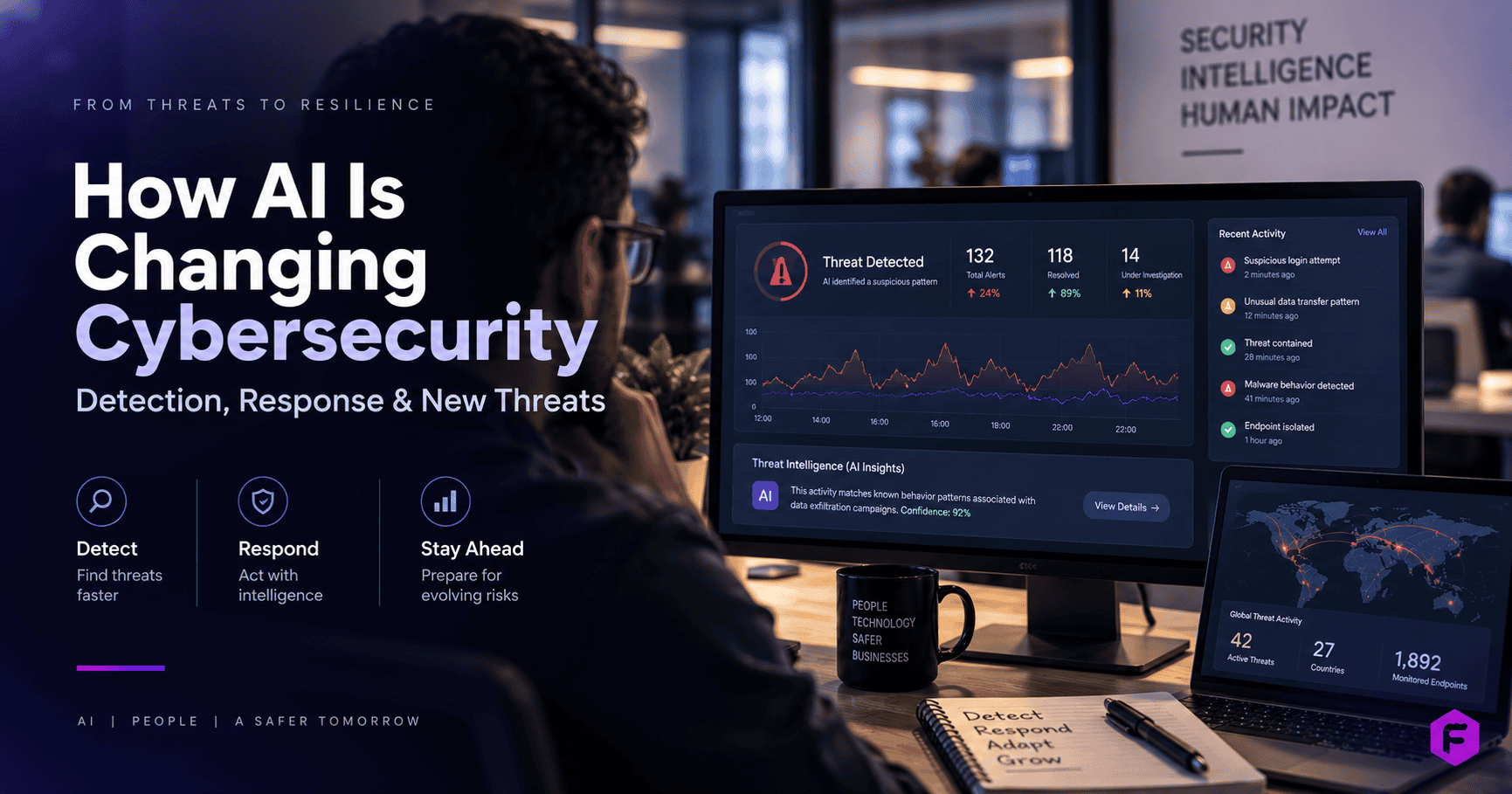
AI has fundamentally changed cybersecurity on both sides of the fight. On defense, AI-driven systems now detect behavioral anomalies human analysts would miss, automate the triage of thousands of daily alerts, and compress incident response times from hours to minutes. On offense, the same underlying technology is generating more convincing phishing emails, cloning voices for social engineering, and automating vulnerability discovery at a scale manual attackers never could. Neither side of that equation has stopped moving since this topic first became mainstream — which is exactly why a genuinely useful answer here has to go past “AI helps detect threats” and into what specifically changed, what did not, and what a business should actually evaluate before investing.
What AI Actually Does in a Modern Security Stack
Strip away the marketing language, and AI’s real contribution to cybersecurity comes down to three concrete capabilities:
- Behavioral anomaly detection. Traditional security tools rely on known signatures — patterns of previously identified malware or attack techniques. AI-driven systems instead learn what “normal” looks like for a specific network, user, or system, and flag deviations from that baseline. This is how modern tools catch attacks that have never been seen before, including novel ransomware variants and insider threats that would never trigger a signature-based alert.
- Alert triage and prioritization. A mid-sized company’s security stack can generate thousands of alerts daily, the overwhelming majority of which are false positives. AI models trained on historical incident data can rank alerts by actual risk, letting a security team focus human attention on the handful that matter instead of drowning in noise. This is arguably the highest-value, least-hyped application of AI in security today — it does not stop attacks by itself, but it makes the humans who do stop them dramatically more effective.
- Automated response for known patterns. For clearly identified threats — an endpoint exhibiting textbook ransomware behavior, for example — AI-driven systems can isolate the affected device from the network automatically, before a human has even seen the alert. This buys critical time in an event where minutes determine how much damage occurs.
The Two-Sided Reality: AI Also Arms Attackers
Any honest treatment of this topic has to cover the other half of the picture, because it directly changes what “cybersecurity” needs to defend against:
- AI-generated phishing has gotten dramatically better. The old advice — “look for spelling mistakes and awkward phrasing” — is now close to useless. AI-drafted phishing emails are grammatically flawless, contextually specific to the target, and can be generated at a volume no human attacker could match manually.
- Voice cloning has made a specific, dangerous form of social engineering practical. A short public sample of someone’s voice — from a company video, a podcast appearance, a conference talk — is enough for modern voice-cloning tools to generate convincing fake audio. This has already been used in real incidents where an employee received what sounded like an urgent call from a senior executive, directing an unusual wire transfer or credential share.
- Automated vulnerability scanning cuts both ways. The same AI capability that helps a security team find weaknesses in their own systems before attackers do is equally available to attackers scanning for the same weaknesses first.
This is the part of the conversation that generic “AI improves cybersecurity” content usually skips entirely — and it is the part that actually determines whether an investment in AI security tools is keeping pace with the real threat landscape or just automating yesterday’s defenses.
Where AI Genuinely Helps vs. Where It Is Overhyped
Genuinely strong use cases: anomaly detection across large volumes of network traffic or log data; alert triage and prioritization; phishing email detection trained on linguistic and behavioral patterns (not just known bad senders); automated isolation of compromised endpoints. Category-leading tools in this space today — CrowdStrike Falcon for cloud-native endpoint protection, Microsoft Security Copilot for AI-assisted incident analysis, Palo Alto Networks Cortex XSIAM combining SIEM/SOAR with AI automation, and SentinelOne for autonomous endpoint detection — each take a genuinely different architectural approach worth understanding before choosing a category, not just a vendor.
Commonly overhyped: “fully autonomous” security operations claims — in practice, every credible AI security deployment still has human analysts in the loop for anything beyond the most clear-cut automated responses; AI as a complete replacement for foundational security hygiene (patching, access controls, employee training) rather than a layer on top of it.
What to Actually Look for in an AI Cybersecurity Solution
For a business evaluating vendors or an internal build — or working through this as part of a broader AI security consulting engagement — the practical questions that separate a genuinely capable solution from a repackaged legacy tool with “AI” added to the marketing copy:
- Does the system learn and adapt to your specific environment’s baseline, or does it rely primarily on generic, pre-trained threat signatures?
- What is the actual false-positive rate in practice, not in the vendor’s marketing claims — ask for a reference customer of similar size and industry.
- How does the system handle novel, previously-unseen attack patterns, as opposed to variations on known threats?
- What specific human-in-the-loop checkpoints exist for automated response actions, and how are those configured?
- How is the training data for the underlying models sourced, and does that raise any data-privacy or compliance considerations for your industry?
Common Mistakes Businesses Make Here
- Treating AI security tools as a replacement for basic hygiene. No amount of AI-driven anomaly detection compensates for unpatched systems, weak access controls, or an absent employee security-awareness program.
- Ignoring the offense side entirely. A security strategy built only around detecting attacks, with no attention to the fact that AI has made social engineering and phishing meaningfully more dangerous, is defending against last year’s threat model.
- Assuming “AI-powered” means the same thing across vendors. The term covers everything from genuinely sophisticated behavioral modeling to a basic rules engine with an AI label attached for marketing purposes. The evaluation questions above exist specifically to cut through this.
How AI Cybersecurity Plays Out Differently by Industry
The right AI security investment looks different depending on what a business is actually protecting, and generic advice tends to flatten these differences in ways that lead to mismatched spending.
- Financial services face the highest regulatory scrutiny on AI-driven decisions — an AI system that flags and blocks a transaction needs an audit trail explaining why, not just a black-box score. Vendor evaluation here should weight explainability as heavily as detection accuracy.
- Healthcare organizations deal with HIPAA-regulated data flowing through security tools that need visibility into that data to function — meaning the security vendor itself becomes part of the compliance surface area, not just a tool sitting outside it.
- E-commerce and retail see AI-driven fraud detection as the most immediately measurable win, since fraudulent transaction patterns are exactly the kind of behavioral anomaly AI is well-suited to catch, with a direct, countable dollar impact.
- Businesses without dedicated in-house security staff generally get more value from folding AI-driven detection into a broader managed IT services relationship than standing up standalone security tooling requiring expertise they do not have internally.
- Professional services firms (law, accounting, consulting) are disproportionately targeted by the social-engineering side of this threat — client trust relationships and email-based workflows make voice-cloning and AI-phishing attacks especially effective against this sector specifically.
A Realistic Implementation Roadmap
Businesses that get real value from AI security tools tend to follow a similar sequence, rather than deploying everything simultaneously:
- Audit current alert volume and false-positive rate first. You cannot measure whether an AI triage layer is helping if you do not have a baseline for how much analyst time is currently being spent on noise.
- Start with detection and triage, not automated response. Automated isolation and remediation carry real business risk if the underlying detection model has not been validated against your specific environment yet — earn trust in the detection layer before handing it response authority.
- Run new AI-driven alerts in parallel with existing tools for a defined period before retiring the old system, so you can directly compare what each approach catches and misses.
- Update employee training to reflect AI-specific threats explicitly — voice-cloning verification protocols, AI-phishing red flags that differ from traditional phishing red flags — rather than assuming existing security-awareness material already covers this.
- Revisit vendor claims against real incident data every 6-12 months. This space moves fast enough that a tool’s actual detection capability 18 months after deployment may look meaningfully different from its capability at purchase, in either direction.
What “Good” Actually Looks Like in Practice
A useful way to sanity-check whether an AI security deployment is working: your security team should be spending measurably less time on alert fatigue and manual log review, and measurably more time on the handful of genuine incidents and proactive threat hunting that actually require human judgment. If alert volume has gone up since deploying an “AI-powered” tool, or your team still cannot tell you their real false-positive rate, the deployment has not delivered on the actual value proposition — regardless of what the dashboard reports show.
How Behavioral Baselining Actually Works, Technically
Understanding the mechanism behind AI-driven anomaly detection helps explain both why it works and where its limits are. The system observes a large volume of normal activity — login times, typical data-access patterns, standard network traffic between systems — and builds a statistical model of what “normal” looks like for that specific environment. When new activity falls sufficiently outside that learned baseline, the system flags it for review or, in narrowly-defined cases, triggers an automated response.
This has a direct practical implication worth knowing: the system needs a meaningful baseline period before it becomes reliable. A newly deployed AI security tool in its first weeks of operation, before it has learned your organization’s genuine patterns, will generate more false positives and may miss things a more mature deployment would catch. Vendors who claim immediate, out-of-the-box accuracy without acknowledging this learning curve are worth questioning closely.
It also explains a real limitation: an attacker who gains legitimate credentials and behaves in ways that resemble normal activity for that account is inherently harder for behavioral baselining to catch than an attacker using obviously anomalous techniques. This is why AI-driven detection is best understood as one layer in a defense-in-depth strategy — alongside access controls, multi-factor authentication, and the human judgment of a security team — rather than a single solution that closes every gap on its own.
If you are evaluating AI-driven security tooling — or trying to determine whether your current security stack has genuinely kept pace with how both defense and attack techniques have changed — that assessment is exactly the kind of work worth getting an outside, technical second opinion on before committing budget.
This sits within the broader picture covered in the complete guide to AI in cybersecurity, which walks through the full landscape beyond detection and response specifically.
Key Takeaways
- AI cuts both ways in cybersecurity: on defense it enables behavioral anomaly detection, alert triage, and automated response to known threats; on offense, the same technology powers dramatically more convincing phishing and voice-cloning attacks.
- Alert triage and prioritization is the highest-value, least-hyped use of AI in security today — it doesn’t stop attacks by itself, but it makes analysts dramatically more effective by cutting through false-positive noise.
- Behavioral baselining needs a genuine learning period before it’s reliable, and it’s inherently weaker against an attacker using legitimate, stolen credentials that resemble normal activity.
- The realistic rollout order: audit current alert volume first, start with detection and triage (not automated response), run new tools in parallel with existing ones before retiring them, and revisit vendor claims every 6-12 months.
Frequently Asked Questions
Does AI cybersecurity software replace the need for a human security team?
No. Even the most sophisticated AI-driven security systems in production today handle detection, triage, and narrowly-defined automated responses — they do not replace the judgment required for incident investigation, threat hunting, or strategic security decisions. The realistic framing is AI as a force multiplier for a human team, not a replacement for one.
Can AI actually stop phishing attacks that are also AI-generated?
AI-driven email security tools that analyze behavioral and contextual patterns (rather than just known bad senders or obvious red flags) can catch a meaningful share of AI-generated phishing, but no tool catches all of it — this is precisely why employee training remains essential even as detection tools improve.
Is AI cybersecurity software worth it for a small or mid-sized business, or only for large enterprises?
The core value proposition — reducing alert fatigue and catching novel threats — matters at any size, but the calculus on build-vs-buy and which specific tools make sense shifts significantly based on team size and existing security maturity. A business without any dedicated security staff generally gets more value from a managed security service with AI capabilities built in, rather than standalone AI tools requiring in-house expertise to operate.
What is the biggest current risk AI has introduced to cybersecurity?
Voice cloning and deepfake-enabled social engineering represent the most qualitatively new risk, because they defeat a verification method — "I recognize that voice" — that has been implicitly trusted for the entirety of business history until very recently.
How do I evaluate whether a vendor's "AI-powered" security claim is substantive?
Ask the specific questions in this article's evaluation section, and be skeptical of any vendor unwilling or unable to answer them with specifics rather than marketing language.
What role does employee training still play once AI security tools are in place?
An increased, not decreased, role — specifically because AI has made the social-engineering side of attacks (phishing, voice cloning, deepfake video) more convincing than technical detection tools alone can fully counter. The strongest security postures pair AI-driven technical detection with training that specifically addresses AI-enabled social engineering, rather than treating either as sufficient alone.
How long does it typically take to see measurable results from an AI security deployment?
Detection and triage improvements are often visible within the first 30-60 days, since alert volume and false-positive rate are measurable almost immediately. Confidence in automated response capabilities, which requires validating the system against your specific environment, typically takes longer — 3-6 months of parallel operation is a reasonable expectation before extending automated response authority.

Related Reading


Related Case Studies
 Reduced Medical Record Review Time by 65% and Cut Case Assignment from Days to Under 4 Hours
 Built RealGround's AI-Native Cybersecurity Platform in 14 Weeks — 80+ AI Security Assessments in 6 Months
 Built Marlo's AI-Native Deal Desk in 14 Weeks — Automating Brand Deals from Inbound Inquiry to Payment
Recent Posts
 Google Adds a Fake-Author Warning to Its People-First Content Guidance. Here Is What to Check on Your Own Bylines.
 Google’s Gemini Agent Gets Its Own Identity, an Audit Trail and Spend Caps. Is Your Agent Governance Ready?
 Anthropic’s New Usage Policy Bars Using Claude to Plant Fake Sources for AI Answers. What It Means for Brand Mentions.