
On 22 July 2026, Barry Schwartz of Search Engine Roundtable and algorithm analyst Glenn Gabe both spotted the same thing within hours of each other. Google has quietly rewritten its “Optimize your crawl budget” documentation, the guide that tells large sites how Googlebot decides what to crawl and how much.
Google’s stated reason was modest, improving clarity, terminology consistency, and flow. The actual content of the rewrite goes further than a wording cleanup. Three real changes sit inside it, and one of them affects every site running AI crawlers alongside Googlebot, whether that site is actively doing generative engine optimization work or not.
What crawl budget actually means, before the changes
The documentation splits the crawl budget into two separate ideas that are easy to blend together but behave differently. Crawl demand is Google’s own interest in fetching your URLs, driven by how valuable and how fresh Google judges your content to be. Crawl capacity is a separate ceiling, how much load your server can handle before Google backs off to avoid causing problems for your site. A site can publish millions of technically crawlable URLs and still see very little crawling, because demand, not the raw count of pages, is what is actually constraining it. Capacity, by contrast, is something your own server behaviour can move, largely independent of how interesting Google finds your content.
That distinction matters for reading everything that changed on 22 July, because the rewrite touches capacity specifically, not demand.
What Google says changed
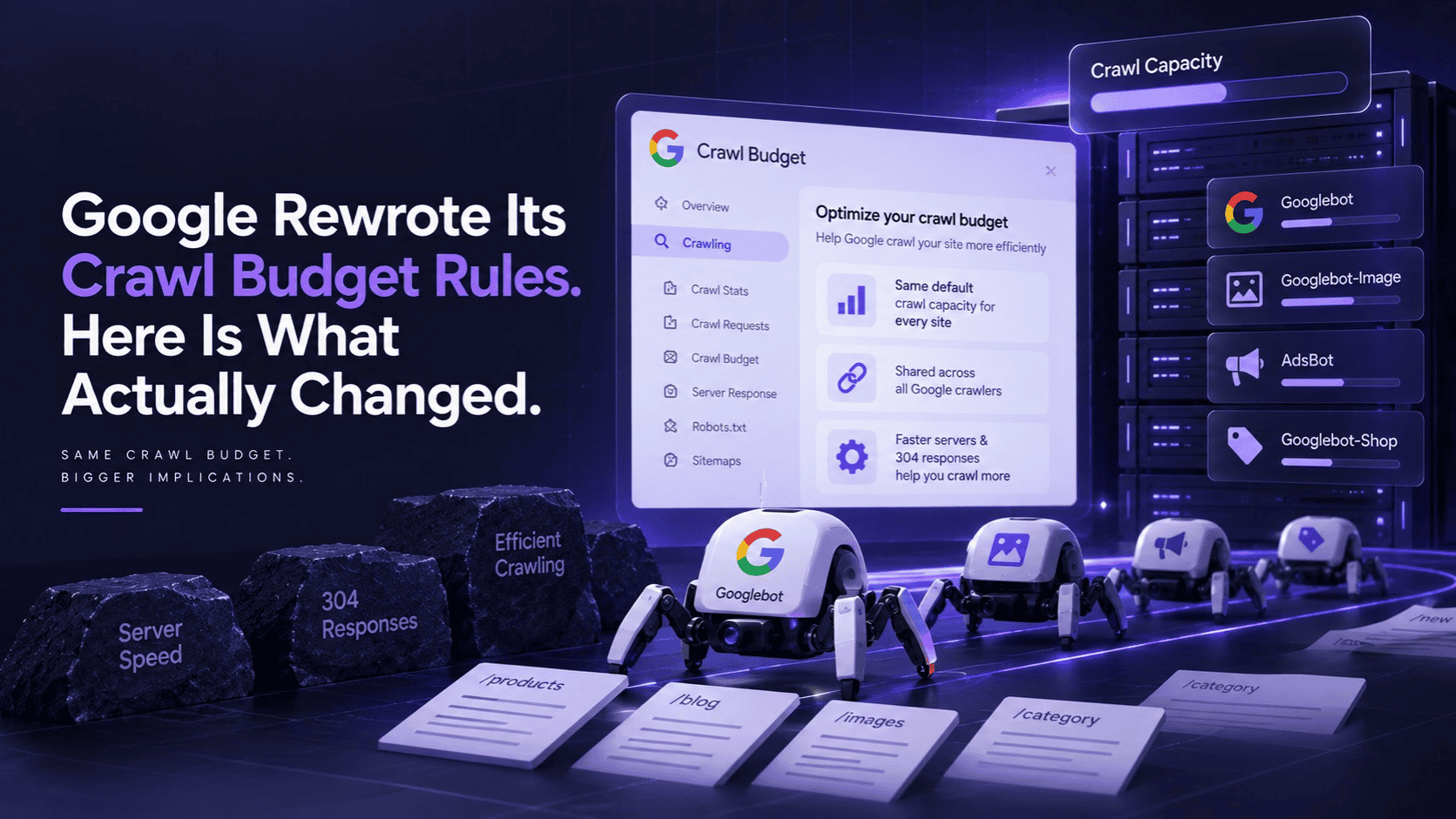
The most significant addition is about how crawl capacity begins. Every site now starts with the same default, conservative crawl capacity limit. Google raises that limit over time only if two conditions hold, there is genuine crawl demand for your content, and your server stays fast and healthy while serving it. There is no earned baseline you carry in from your site’s age, authority, or size. Everyone starts in the same place.
Google has not published what that default number actually is. Multiple sites covering the update have said this explicitly, there is no new published crawl limit. Any specific figure you see attached to this story did not come from Google’s own documentation.
The second change matters more for anyone running AI crawlers alongside traditional search indexing. The rewrite confirms that crawl capacity is shared across all of Google’s own crawlers. Google does not run one crawler, it runs several, Googlebot for standard pages, Googlebot-Image, AdsBot for ad landing pages, and a separate crawler for Shopping and Merchant feeds, among others. All of them draw from the same pool of capacity on your server. Heavy demand from one reduces what is left for the others.
The third change is more tactical. The documentation now gives clearer emphasis to two efficiency levers that were always available but were not framed as prominently before. Faster server response times let Google fetch more within the same capacity window. Supporting HTTP 304 Not Modified responses, using ETag or Last-Modified headers, tells Googlebot it can reuse a cached version of a page instead of redownloading it, which frees that saved capacity for new or updated URLs instead.
One more housekeeping detail worth knowing if you have ever bookmarked or cited Google’s crawl budget guidance. The documentation moved. The older URL, under the large site managing crawl budget path, now issues a permanent redirect to a new address under Google’s crawling docs section. If you have internal documentation or a past search engine optimization audit referencing the old link, it still works through the redirect, but it is worth updating.
Why the shared capacity detail matters beyond Google’s own crawlers
The documentation itself talks about Google’s own crawlers competing for the same pool. It does not need to say the obvious follow-on, because every technical SEO reader already knows it. Your server does not distinguish between Googlebot and every other bot hitting it. If your site is being crawled heavily by AI crawlers, whether for model training or for live retrieval when someone asks ChatGPT or Perplexity a question, that traffic is competing for the same server response headroom Googlebot needs to do its own job well.
This is the same underlying mechanic we wrote about when Cloudflare changed its default AI crawler settings. A slow or overloaded server reads as a signal to Googlebot to back off, which caps how much of a large site actually gets crawled and indexed in a given period. If AI crawler traffic is heavy enough to slow your server down, you are not just making a decision about AI training data. You are quietly affecting how much of your site Google itself chooses to crawl.
Separate research on crawl budget mechanics, not part of this specific July rewrite but relevant context, has found that crawlers like GPTBot can consume up to 40 percent of available server bandwidth during deep crawl cycles. That same research cited data suggesting sites that block GPTBot entirely in robots.txt were cited 73 percent less often in ChatGPT responses. I am flagging that stat with its actual source rather than presenting it as part of Google’s July update, because it comes from separate technical SEO research, not from Google’s documentation itself. But it illustrates exactly why the crawl capacity sharing point is not academic. Blocking AI crawlers protects server capacity for Googlebot. It also appears to reduce your citation rate inside AI answers, which is the entire premise behind doing generative engine optimization work in the first place. There is a real tension here, and Google’s rewrite does not resolve it, it just makes the underlying mechanics clearer.
Why this update is arriving now
Google did not explain its timing, and the documentation itself frames the changes as clarity improvements rather than a response to any specific pressure. But the context is hard to ignore. The volume of non-Googlebot traffic hitting servers, from AI training crawlers, live AI retrieval agents, and third party scraping tools, has grown substantially industry wide over the past two years. A documentation update that makes shared capacity explicit, when it was previously left implicit, reads naturally as Google catching its own guidance up to a server environment that looks different than it did when the original guidance was written.
What this means if you run a large site
If your site has thousands or millions of URLs, this update is worth reading in full rather than taking secondhand. Two practical questions follow directly from it.
First, is your server capacity being spent efficiently. The documentation’s own answer is to check your logs, not to assume. Which URL patterns is Googlebot actually requesting, and how often. Are other Google crawlers, or aggressive AI and third-party crawlers, consuming capacity that would otherwise go to your most important pages. A server log analysis, even a basic one, will show you the actual split between Googlebot requests, other identified bots, and everything else, which is a more reliable starting point than reading the documentation and guessing where your own site stands.
Second, is your crawl demand actually low, or is your capacity the constraint. These are different problems with different fixes. A site can expose millions of crawlable URLs and still see very little crawling, because Google’s interest in those URLs, the demand side, is the actual limit, not how many pages you have published. Improving server speed raises your capacity ceiling. It does nothing for a site full of URLs Google has no interest in crawling in the first place. Pruning thin or duplicate URL inventory raises effective demand per page that actually matters, without touching your server at all. Treating a demand problem as a capacity problem, or the reverse, means fixing the wrong thing while the actual constraint stays exactly where it was.
What this means if you run a smaller site
If your site is not operating at large scale, thousands of pages or more, the honest answer every source covering this update gives is the same one Google has given for years. Crawl budget is not something you need to actively manage. Google’s systems can typically crawl a smaller, healthy site fully without the capacity constraints this documentation is written for. This update does not change that guidance. It exists for the specific case of very large sites where crawl demand genuinely exceeds what Google is willing to spend crawling everything, which is simply not the situation most smaller sites are in.
Where to actually check this on your own site
Search Console’s Crawl Stats report is the relevant measurement surface here, not the crawl budget documentation itself. It shows request volume by response type, by file type, and by Googlebot type, which lets you see whether crawling is trending down, flat, or being spent disproportionately on low value URL patterns. Look specifically at the trend over recent months rather than a single day, since crawl volume naturally fluctuates and a single low reading is not necessarily meaningful on its own.
If you also run AI crawlers against your site, whether deliberately allowed for generative engine optimization purposes or simply not blocked, cross-referencing your server logs against both Googlebot and known AI crawler user agents will tell you whether the two are genuinely competing for capacity on your specific server, rather than guessing based on what the documentation describes in general terms. This is a few hours of log analysis for most sites, and it replaces speculation with an actual answer specific to your own infrastructure.
Frequently asked questions
1. Does this update mean my site has a new, lower crawl limit than before?
Answer: No specific new limit has been published anywhere in Google’s documentation. What changed is the description of how the limit begins, at a conservative default for every site, rising over time based on demand and server health, rather than any published number changing for existing sites.
2. Does blocking AI crawlers protect my Googlebot crawl capacity?
Answer: In principle, yes, since capacity is shared across whatever is hitting your server. In practice, separate research suggests sites blocking crawlers like GPTBot see meaningfully reduced citation rates in AI answers. The trade-off is real, and this update does not remove it, it just confirms the shared capacity mechanic that makes the trade-off exist.
3. Do I need to worry about the crawl budget if I run a small business website?
Answer: No. Every source covering this update agrees on that point, including implicitly Google’s own documentation, which is written for large sites managing crawl demand at scale. A small, healthy site is very unlikely to hit a capacity constraint Google’s systems cannot handle by default.
4. What is the difference between crawl demand and crawl capacity in practical terms?
Answer: Demand is Google’s interest in your content, driven by perceived value and freshness. Capacity is a ceiling for your own server performance controls. A slow server lowers your capacity regardless of how much Google wants to crawl you. Thin or low value content lowers demand regardless of how fast your server responds. They need different fixes, and confusing the two leads to solving the wrong problem.
5. What is the single most useful thing to do after reading this?
Answer: Check your Search Console Crawl Stats report before assuming anything about your own site based on this article. The documentation change is general guidance. Your logs are the only source that tells you whether shared crawl capacity is actually a live constraint for your specific site.
6. How does this connect to AI visibility work specifically?
Answer: Crawl access is the prerequisite underneath everything else. An AI system, or Google’s own AI features, cannot cite content it cannot successfully retrieve. If crawl capacity constraints or AI crawler blocking are limiting what gets fetched from your site, that is a foundational issue sitting underneath any search engine optimization or SEEO work layered on top of it.
If you want to know whether crawl access, AI crawler blocking, or something else entirely is limiting your visibility in AI answers, that is exactly what we check in a free AI Visibility Audit.